Manage game servers on the Linux machine you already have.

Connect a Linux machine you own or rent. Manage servers, files, backups and schedules from one hosted panel. Minecraft adds software and modpack tools, plus wake-on-join for sleeping servers. Your games and data stay on your machine; players use your assigned game address.

One free workspace per account, with multiple machines and servers. Confirm your email, reserve a name and run the installer to start. Host requirements · Availability and retention policy.

Read my build journal

Inside the panel.

These screenshots show the panel with private server and account details replaced for the demo.

The panel manages different game servers. These screenshots also show its Minecraft tools.

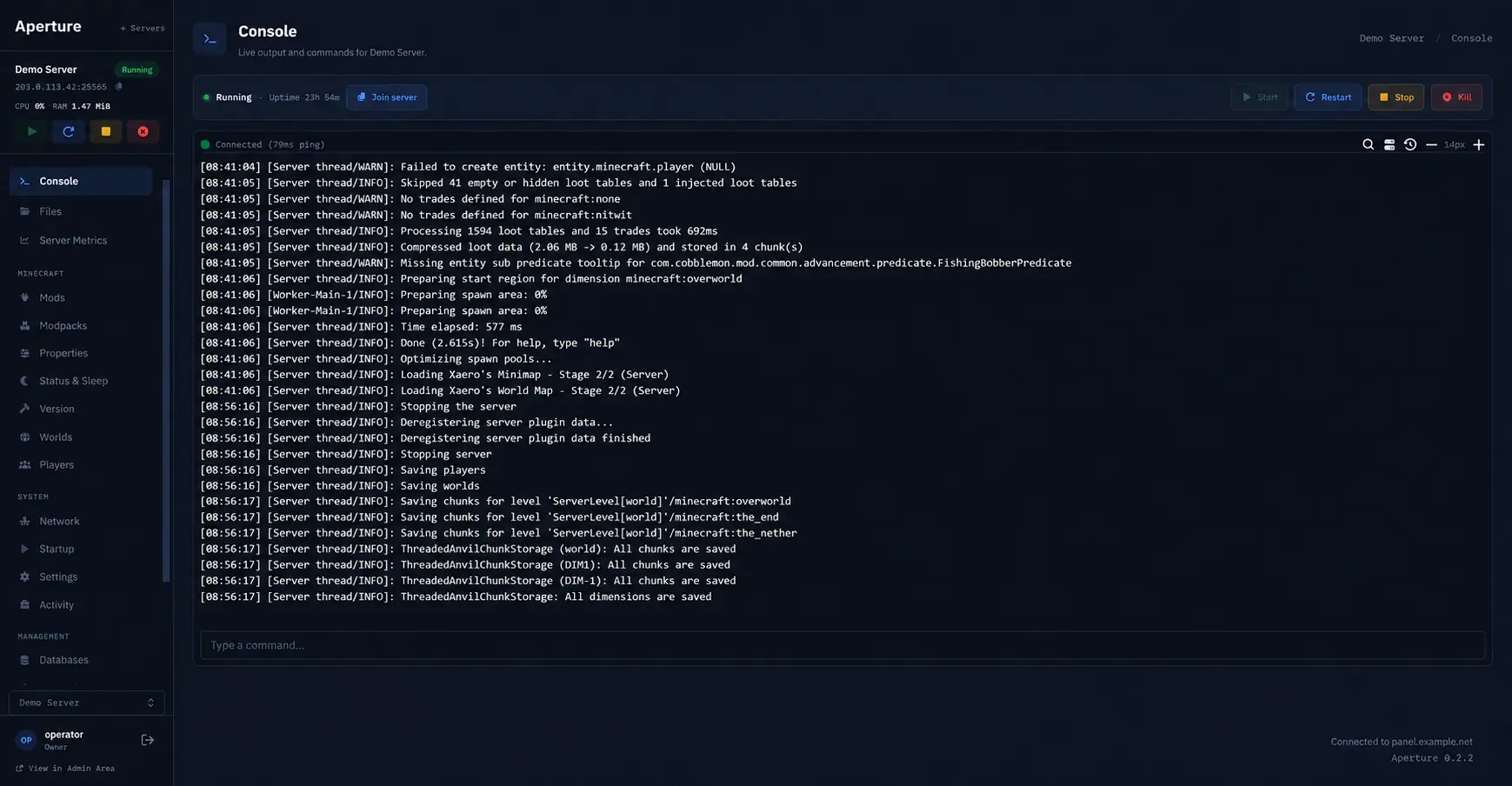
The real Aperture console page showing live server output, command entry, connection state, and power controls.
Run commands and follow the console.Run commands, follow the log, use the power controls, and join the server without leaving the page.

How the connection works

You manage the server through Aperture. Players use your assigned game address; the game runs on the Linux machine you host.

ManagementBrowser requests
Your browserWherever you sign in
hosted control
ApertureManagement layer
private management
Your Linux machineOwned or rented by you
Game trafficYour game address
Your playersFriends or community
your assigned game route
Game serverRunning on your machine
This diagram explains network routes only. It is not a view of the Aperture interface.

Minecraft tools, built into the panel.

The built-in Anvil tools read your Minecraft software, loader, properties, world folders, and player data. You can manage them directly from the panel.

Change Minecraft versions

See the installed software, version, build, Java image, and startup configuration. Choose a supported family, update, or pin an exact build. Anvil checks risky boundaries and required backups before applying the change.

Vanilla, Paper, Folia, Purpur, Fabric, Velocity, Waterfall

Install compatible plugins and mods

Browse projects compatible with the active Minecraft version and loader. Install from the panel when the source allows it, then update, disable, or remove content while files you uploaded yourself stay manageable too.

Modrinth, compatible Hangar projects, CurseForge when configured

Install modpacks

Stage a selected pack, confirm a backup, configure its loader and Java runtime, follow progress, check startup, and keep recovery information.

Modrinth catalog, backup, progress, startup check, recovery

Edit properties and the server-list presentation

Search known server.properties settings, preview the generated file, and see what changed before saving. Design both MOTD lines with Minecraft colors, formatting, glyphs, presets, undo, redo, and an in-game-style preview.

server.properties and visual MOTD tools

Manage worlds, rules, and players

Keep the Overworld, Nether, and End together. Import or back up a world, choose the default, edit gamerules, and manage known players, whitelists, operators, kicks, and bans from dedicated pages.

Worlds, dimensions, gamerules, roster, permissions
Wake Paper when a player joins.

Server-list pings won't wake it. A login attempt starts Paper; players reconnect at the same game address once it's ready.

Set up sleep and wake-on-join

  1. The last player leaves.

    Paper stays empty for the timeout you choose.

  2. Paper stops.

    The Paper process stops. A small responder keeps its game address available.

  3. The server stays visible.

    Status pings still receive the MOTD and icon you configured without waking Paper.

  4. A real join wakes it.

    The player reconnects shortly and joins Paper through the assigned game address.

Meet BlourB.

BlourB reacts to panel notices and shows recent activity. He's optional, and the usual panel controls stay where they are.

  • Drag him to a corner.
  • Choose his shape, color, expression, name, and motion.
  • Pause his animation or hide him.
Make your own BlourB

Your server stays on your hardware.

Keep the game process and its files on a Linux machine you own or rent. Aperture hosts your control panel and relays player traffic to your assigned game address, including when your machine is behind NAT.

Aperture builds on Calagopus with native Rust tools.

Hardware
Your Linux machine
Game process
Runs on that machine
Player traffic
Your assigned game address
Management
Handled through Aperture

How Aperture is being built.

I’m building Aperture on my own. These notes cover the first Minecraft tools, the server-sleep work, and how the account system came together for the free beta.

Read the build journal

Try Aperture on your machine.

Create an account and confirm your email. Then reserve a workspace name and run the installation command on your Linux machine.

Create free account