I host Aperture’s control panel. Your game servers run on a machine you own or rent, and you manage them from a browser.
This journal follows the work from August through October 2026, including the tests and unfinished parts.
I reconstructed these dated notes from my development records on October 19, 2026. They describe what was working or still being tested at the time.
Jump to a chapter 17 entries
Your hardware. Less homework.
Aperture has a home on the web, and Minecraft is first on the workbench.
Aperture has a website, a first Paper server recipe, and a fairly simple idea behind it: I host the control panel, and you bring the machine that runs your games. I'd like looking after a server to leave you some time to actually play on it.
I'm starting with Minecraft. The first setup uses Paper, with the Java version it needs selected for you. The setup has to keep up with changes to the game and its downloads, or that version choice won't stay simple.
I'm building on Calagopus, adding Aperture's tools through extensions. There is already a much bigger plan in my notebook. For now, I have a concrete server setup and a clear idea of who I'm building for.
Three pieces, one panel
Core, Anvil and Tickets give the first Aperture extension suite its shape.
The first Aperture extension suite is packaged. It has three parts: Core for the shared look and navigation, Anvil for Minecraft jobs, and Tickets for the conversations that come with running a server. Giving each piece a name makes the project feel a little less like a sprawling to-do list.
Anvil brings versions, plugins, properties, worlds, and players into the panel. Those are the jobs I keep coming back to: change something, check what is there, and get back to the game without hunting through unrelated settings.
Tickets gives a server operator somewhere to help the people using their panel, with threads, replies, and open or closed tickets. That is a separate job from asking me for help with Aperture itself.
Less dashboard, more server
The console gets room to breathe, and Anvil gets better at knowing what belongs on a server.
I'm giving the console the best seat in the panel. When I open a server, I usually want to see what it's doing or send it a command. The layout now puts that work up front, with clearer power controls and a join action that copies the connection address.
The charts have a saved history now, so reloading the page doesn't wipe the story away. I've also tightened the space around plugin and mod cards. A little less shuffling and scrolling makes a surprising difference.
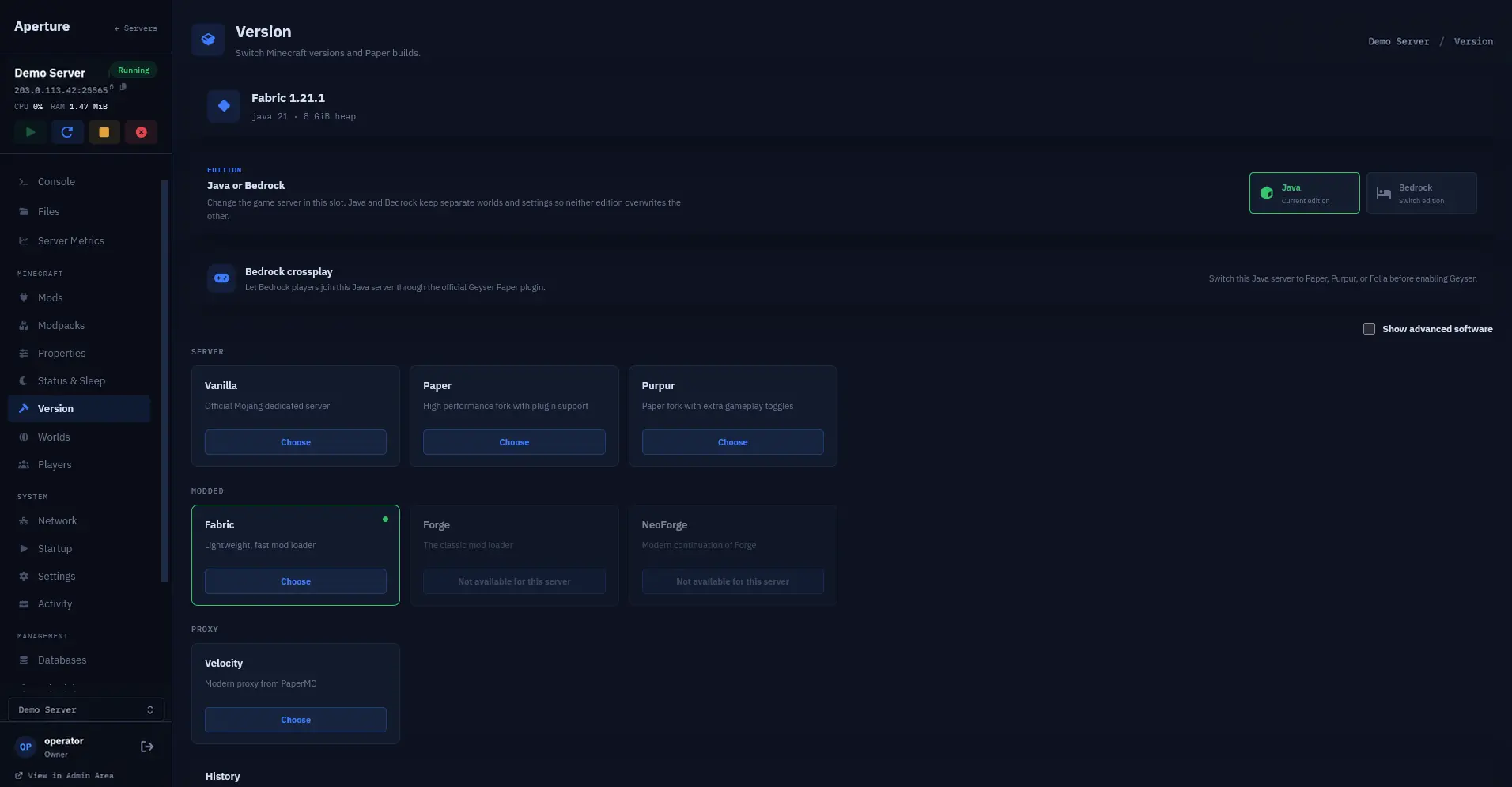
Anvil takes the selected Minecraft software into account when showing content, and I've added a read-only Modrinth modpack browser. Installing whole packs is still experimental. For today, I can explore the options without pretending every result is ready to install.
Let sleeping servers lie
Standby gives an empty Minecraft server a quieter way to wait for its next player.
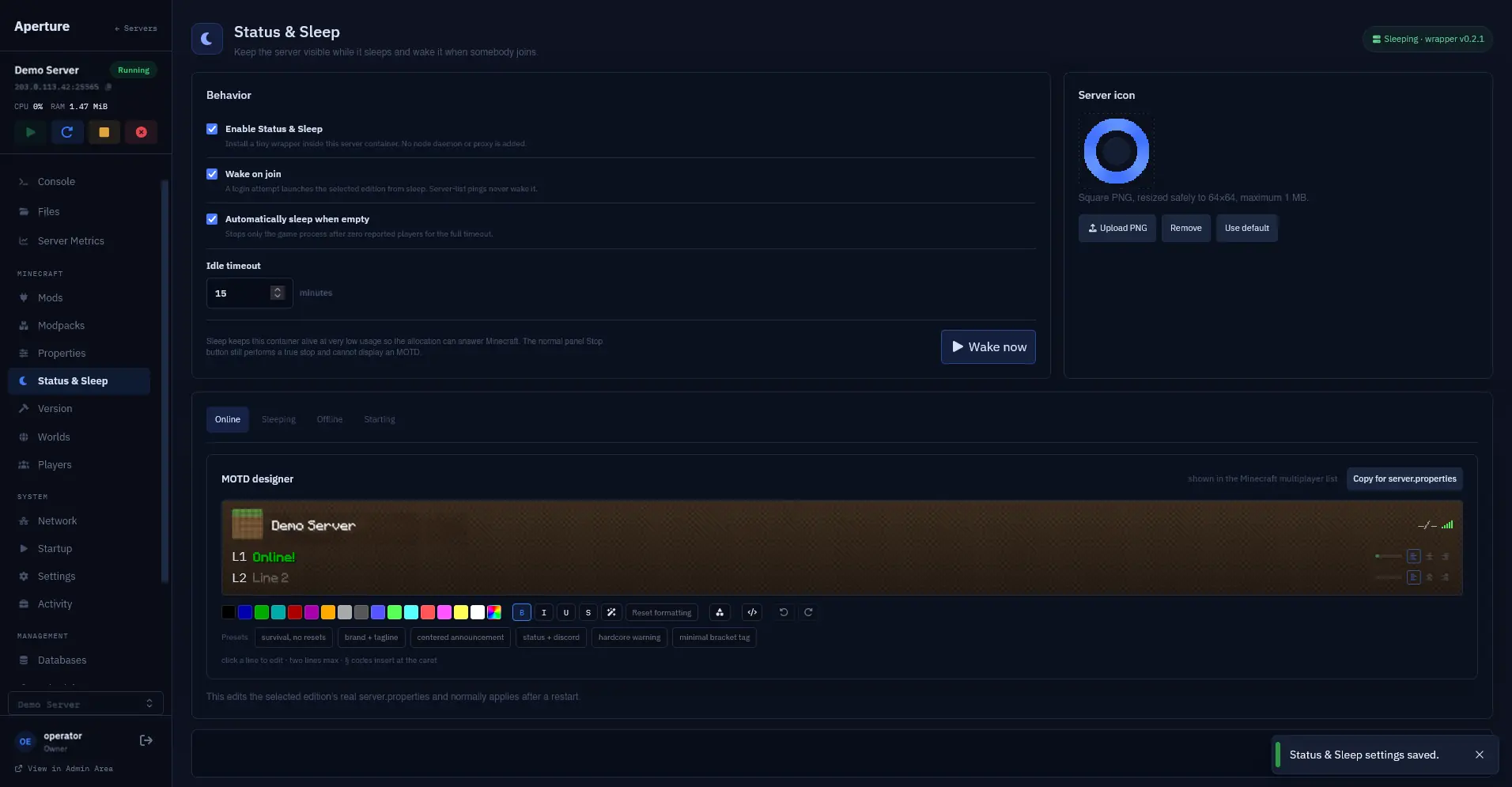
I've reworked Standby around a small question: what should a Minecraft server do when nobody is playing? Sleep lets the game rest while its server-list message stays available. Someone checking their list can still see what's happening.
A join attempt can wake the game and ask the player to reconnect once it's ready. Simply refreshing the server list leaves it asleep. There is an automatic idle option too, so I don't have to remember to tuck an empty server in by hand.
I'm keeping Sleep and Stop separate in the interface. Sleep can wake on a join; Stop stays stopped. This starts with Paper, with editable messages for the different states. It still needs real player tests.
A little BlourB in the corner
The panel gets an optional companion, a personal look and a small notification inbox.
I've added a BlourB companion to the panel. It's a small animated presence that can sit in a corner, move out of the way, and hold a few notices. A server panel spends a lot of time being boxes and numbers; I like giving it a little character.
There is an account page for its name, shape, colour, and expression. Its position is remembered when you drag it, and the motion can be full, subtle, or still. Quiet mode and hiding it are part of the same set of choices.
Clicking BlourB opens a little inbox, with read and dismiss controls. This is an optional addition to the normal panel.
Garry's Mod joins the workbench
Workshop collections become something to inspect and manage, with addon updates kept under your control.
Garry's Mod has its own set of tools in Aperture now. I've started with the things that can turn a quick server change into an evening: Workshop addons, configuration, and getting the right content to players.
A Workshop collection acts as a catalogue. I can inspect it, choose addons, and record the versions I want. New downloads wait for review before being activated, and an update is a choice rather than an automatic surprise. Manually installed addons have a place in the list too.
The content tools can inspect the assets players need and prepare the delivery settings. There is also an addon scan to flag things worth a closer look. It is a review aid, not a guarantee about every piece of code. This is a first working set of tools. The full player journey still needs testing.
A way in, without a tour of my terminal
The first account and setup workflow is taking shape.
I can get a test panel running. Turning that into something another person can set up is a different problem. Today I have a first account and setup workflow in code: accept an invite, create an account, sign in, follow progress, and connect a machine with a one-time setup code.
The useful change is that setup remembers where it is. An interruption shouldn't have to send everything back to the beginning. I'm joining the account, panel, and machine into one flow instead of treating each as a separate errand.
This first version still needs work, and testing has left me with more things to fix. Registration stays closed while I test the setup further.
The newest backup should actually be the newest
A small assumption gets a proper fix.
Today I'm fixing a surprisingly slippery word: latest. Backup results can arrive in more than one group, and picking the first group isn't the same as picking the newest backup. That matters when I check whether a backup is fresh or choose one for a restore test.
I've changed the code to compare the available results and choose the newest valid backup. The monitor and the restore test now share the same selection rule. I've added tests for results arriving in different groups, different dates, and entries that can't be used.
The change still needs to be installed and put through a real restore test.
The parts around the Panel
Setup gets a face. Billing gets the unglamorous bits.
I've built a browser interface for creating an account, signing in, and following setup. It turns the steps behind the scenes into plain progress messages and a clear next action. I'm testing it on a small screen as well as a desktop, including the less cheerful situations: a lost connection, a slow reply, and coming back to a tab later.
The subscription foundation is taking shape alongside it. There's code for checkout, managing a subscription, and keeping track of payment updates. Most of the work is behind the button: messages can arrive late or twice, and reaching a success page isn't proof that a payment happened.
Both pieces are still in testing. The interface talks to a simulated service; billing isn't taking real payments or granting access. They still need to be connected to the rest of setup.
The Panel needs a front door
I start joining the account, setup and billing pieces into one journey.
I can build a nice control panel and still leave someone wondering how to actually get one. Today I'm joining up that missing front door: an Aperture account, a place to see setup progress, and a connection between an account and its Panel.
I'm connecting the billing foundation to the journey in a test environment too. A retry after a lost reply should continue the same setup. An unfinished checkout should stay unfinished. Public sales are still closed; I'm working towards something a person can use without needing me to translate every step.
From a test checkout to a running game
I follow the whole route instead of testing the buttons in isolation.
A satisfying result today: a test account makes it through checkout, gets its own Panel, connects a separate game machine, and starts Garry's Mod. I'm using the real payment provider's test mode, so the money is pretend. The game is real.
I'm trying the awkward parts too: a payment reply that goes missing, a renewal that fails, and a subscription that ends. In these tests, ending the subscription keeps management of an existing game available while stopping new server creation. There are still hosting limits, recovery tests, and real-player checks to work through before this becomes a public service.
A Minecraft toolbox, with actual Minecraft attached
I put versions, plugins, worlds and recovery through real server rehearsals.
Today I'm testing the Minecraft controls against running servers. I'm testing server-software changes, compatible plugins and mods, properties, worlds, and getting back to a saved state when an experiment goes sideways. The console and power controls get checked against an actual running game too.
I'm checking that downloaded plugins load and that backups can actually be restored. These tests cover the combinations I've tried. Modpacks remain an internal beta; one successful server doesn't prove every Minecraft version and mod combination.
Somewhere to ask for help
I give Aperture support a proper conversation view.
Aperture has a proper support conversation view today. On desktop, the inbox sits beside the conversation. On a phone, there's a simpler list-to-thread view. You can ask a question, come back to the reply, and keep a draft while moving between tickets.
I can work through the same conversation from my side, and I've checked the email notification route as well. The conversation itself stays in the account, where it has some context. Keyboard focus, small screens, recovery links, and connection problems all get attention.
Install, restart, recover, repeat
I test whether the setup still works beyond its first successful run.
The hosted services have a dedicated production home now. I'm following a test customer through the public-facing setup journey there, all the way to a running Minecraft server. I find an installation problem, fix it, and check the updated installer on a fresh machine. The setup guide now matches what the account actually shows.
I'm putting just as much time into the way back. In a separate rehearsal, I restore the hosted Panel and account backups and check that the recovered services can start. That teaches me which pieces need to travel together, including the tools needed to recover them.
This is recovery for the hosted service; it doesn't replace a backup of the game worlds on your own machine. There is still more to prove before I can call it complete failover.
Files shouldn't need a bigger screen
The everyday file tools get some overdue attention.
I've been working through the file manager on a keyboard and on smaller screens. I fix cramped phone layouts, give controls clearer labels, and stop the editor menu getting in the way.
Calagopus already has upload recovery; I've connected Aperture's file view to those existing features so progress and the resume and cancel controls are visible again. I check real edits and downloads, then pause, resume, and cancel uploads in the running Panel. These interface fixes are live today.
Free has to mean a working Panel
I prove the free route from setup to Minecraft, and then test leaving too.
I'm settling on a free hosted base Panel, with optional Aperture-wide premium plans to work on separately. The games stay on your own hardware. Today I take a free test account through setup, machine installation, and Minecraft creation without a checkout. Console commands and stop/start controls work, and I make an authenticated Minecraft Java player connection in a separate rehearsal.
I test leaving, too: requesting closure, keeping the archive, restoring the saved hosted state, and making the space available again. I also fix a renewal problem that counts an existing server twice. The unglamorous book-keeping matters when a free account still needs room for its eventual recovery.
Public signup stays closed while I finish those checks. Getting into the service is only half the job. I want getting out, and getting back to saved data, to make sense as well.
The invite-only Free beta opens
A small door opens, and account setup gets a place of its own.
Invite-only Free signup is open today. That's a sentence I've been working towards for a while. An invited person can create an account without payment details and start the setup journey I've been rehearsing. I'm keeping the beta small enough to look after properly; paid checkout stays off.
I've also given account setup its own home. Account is where you go to get set up and look after your Panel. Support is where you go to have a conversation. Your sign-in username and your Panel's name are separate now, too. The name you use to log in doesn't have to become the address you share with friends, and existing email sign-in still works.
There are better tools on my side for looking after Panels as well. Next on the workbench is a simpler, single-command machine setup. I have that in development, but the fresh-machine test and publication checks still come first. Today is the start of a small beta, with plenty still to improve. I'm glad there's finally a way in.
Using Aperture today
These entries stop on October 19, 2026. The access page has the current signup details.